

To make a digital wedding invitation you need three things: the details, a design, and a place for the replies to land. The design is the easy part; there are four ways to do it, and they differ mostly in the third thing. A still card from Canva gives you a picture and nothing to collect the replies. A video plays anywhere and also collects nothing. A wedding website builder puts the reply on the site. A ready-made invitation service puts the invitation and the reply on one link. We make one of those services, The Digital Envelope, and we say so where it comes up; the rest of this page is meant to be fair to all four.
The four ways, side by side
| Route | What you end up with | Where the replies go | Rough time |
|---|---|---|---|
| 1. Design a still card yourself (Canva or similar) | a picture or a PDF you send as a file | nowhere: guests answer you by text, one by one, and you keep the list | an evening for the card, then a few minutes per household for the whole engagement |
| 2. A video invitation (a video maker or an animated file) | an MP4 you send or post | nowhere: same as above, the video has nothing to tap | an evening or two, longer if you edit your own clips |
| 3. A wedding website with a card (Joy and similar) | a card that links to your site | on the website, tracked on its guest list | an afternoon for the site, an hour for the card |
| 4. A ready-made invitation service (ours, Greenvelope, Paperless Post and others) | one link that is the invitation | on the invitation itself, into a dashboard | an hour, most of it choosing the design and pasting the guest list |
Time is our own estimate from building each kind ourselves. Everything said about another company below comes from its own site, read on September 22, 2026.
Route 1: a still card in Canva, sent as a picture or a PDF
This is what most people mean by "make it myself". Canva's page of virtual wedding invitation templates says you can customize them for free, listed 1,202 of them when we looked, and lets you add stickers and illustrations from its library and animate them, or drop in your own photograph. For sharing, the page talks about posting the design to social media and embedding it in an email or a post. It does not mention collecting replies, and that is the honest limit of this route: what you have made is a picture. It looks like an invitation, and it is one, but nothing on it can be tapped to say yes.
So the replies come back the way they always did before websites: a text from each household, in their own time, each phrased differently. "We're in!" from one, "Just me, Tom has a conference" from another, a phone call from your aunt. You write each one into a spreadsheet, ask again for the meal choices, and chase the ones who read it and forgot. For 30 guests that is manageable. For 120 it is a part-time job that lasts until the deadline. If your list is short and you enjoy the design work, this route is free and entirely yours.
Route 2: a video invitation
A video invitation is a short film with your names, the date and a song, usually built from a template or from your own engagement clips. Canva's wedding invitation video maker page says it is free to use, that you can download the result as a high-quality MP4 or create a link, and that you can email it to guests or post it to a Facebook event, Instagram or TikTok. Its Magic Studio section also mentions turning text prompts into AI video. The same page does not mention collecting replies.
What a video does well: it plays on every phone, needs no account and feels like an event. Two things to know. First, a video is a file, not a page, so guests watch it and then have to answer somewhere else, exactly as with the still card. Second, size: a video with music and photographs is a large file, so it usually travels as a link to wherever it is hosted rather than as an attachment, and the link is what people forward. A video is a lovely companion to an invitation that collects replies. On its own it is a save the date with a soundtrack.
Route 3: a wedding website with a card that links to it
Joy's wedding invitations page describes free digital e-cards alongside premium digital designs, a range of templates, the option to upload your own artwork, and sending by email, shareable link or text. Replies are handled on the wedding website: guests RSVP online and the answers are tracked and stored on the guest list. The page also says the invitation design carries through to the save the dates, the website and the app, so the set matches. Zola and other builders work along the same lines: the card is the door, the site is the room, and the reply lives in the room.
Choose this route if you want the website anyway, for the hotel block, the schedule and the registry. The trade is one extra step for every guest: open the card, tap through to the site, find the RSVP page, find their name. Most guests manage it. Some, especially older ones, stop at the card and text you instead. If the website is the thing you need, this is your route.
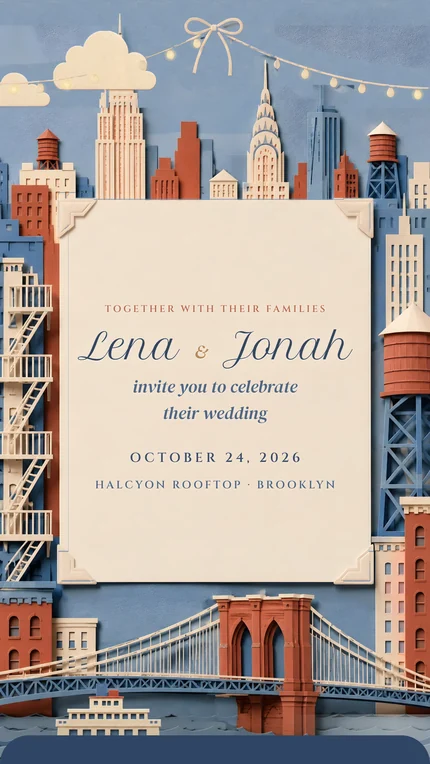
Route 4: a service where the invitation and the RSVP are one link
Here the invitation is a web page, not a file. The guest opens the link, reads it, and answers on it; the answer lands in a dashboard with a name on it. You do not design from a blank canvas: you pick a finished design and change the words, the date, the venue and the questions. This is the route we sell, so read the next paragraph as coming from us.
We make 31 digital wedding invitations in six collections, each an animated scene with an envelope and music rather than a still card. The reply is collected on the invitation, one per household, and every person in the household gets their own meal choice and allergy boxes. Those land in a dashboard with a tab for the kitchen that counts the meals. Classic is $99 for up to 100 guests replying, Signature is $199 with no guest limit and your own photograph as the first screen, and a Save the Date is $29.99 with that amount credited toward the invitation later. There is no editor for drawing your own artwork; if you want to paint the card yourself, route 1 is the honest answer, and it is free.
Other services on this route include Greenvelope and Paperless Post. Greenvelope's own cost page lists a single mailing at $99 for up to 100 guests and $249 for up to 250, and says every price includes the animated envelope, RSVP tracking, survey questions for meals, allergies and song requests, automatic reminders to guests who have not answered, and delivery by email or text message. Paperless Post we name without describing, since we did not read its pages today.
Can AI make a digital wedding invitation?
Partly. An AI writing tool is a fine place to draft the wording: give it your names, the date, the venue, the hosts and the tone, and edit what comes back. An AI image tool can produce a picture of an invitation, and Canva's video page mentions AI video from a text prompt. What none of these make is the part that collects replies. Whatever an AI produces is a picture or a film, which puts you back on route 1 or 2. Use AI for the words and, if you like, the artwork; then decide separately where the replies will live. Two more cautions: check every name, date and address it wrote, and keep in mind that AI-drawn hands, lettering and flowers still tend to look drawn by AI on a phone screen, which is where the invitation will be seen.
How to make it, whichever route you choose
- 01
Gather the details before you open any tool
Your two names as you want them read, the hosts if there are any, the date written out, the time, the venue with its full address, the dress code, the reply-by date, and the website if you have one. Put them in one note. Every route asks for the same list, and the note is what you paste from, so you never type the venue three different ways. The full list, with the pieces people forget, is in what to put on a wedding invitation.
- 02
Choose the format by the reply, not the look
Ask one question: how will 100 people tell me yes, no and what they eat? If the answer is "they will text me", a still card or a video is fine and you should plan an evening a week for the bookkeeping. If the answer is "on the website", build the site first and make the card second. If the answer is "on the invitation", pick a service on route 4 before you fall for a design, because the design comes with the service.
- 03
Write the wording once, in a plain document
Not in the design tool. Write the lines in a note where you can read them as sentences: who invites, who is marrying, when, where, what to wear, how to reply and by when. Read it aloud once. Then paste it into whatever you are building. The traditional lines and the modern ones, with hosts, both sets of parents or no hosts at all, are in how to word a wedding invitation.
- 04
Build it
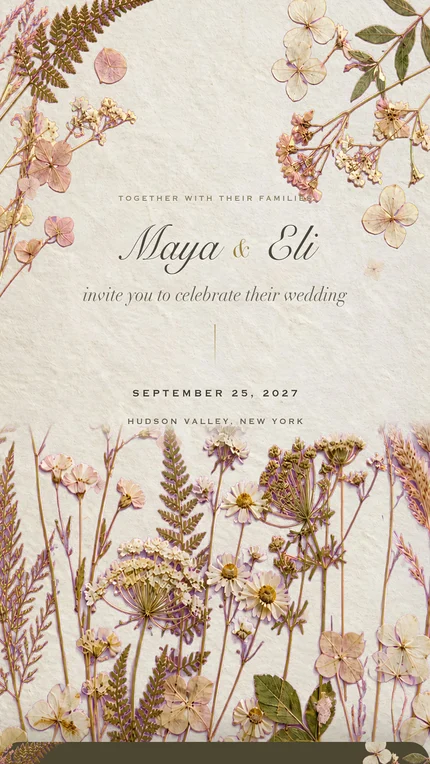
On route 1, pick a template, replace every placeholder line, delete the ones you do not need, and export it at the size a phone shows well, portrait rather than landscape. On route 2, keep it short: names, date, place, reply-by, under a minute. On route 3, finish the RSVP page on the site before you make the card that points to it. On route 4, fill the dashboard from your note and paste the guest list, one household per line. On every route, a portrait shape and large type matter more than anything else, because it will be read on a phone held in one hand.
- 05
Test it on two phones that are not yours
One iPhone and one Android, over mobile data, from a text message and not from inside the app you built it in. Look for names cut off at the edge, a date that wrapped onto two lines, a map link that opens nothing, music that does not start, and, on routes 3 and 4, a reply that actually arrives with the right name on it. Send it to a friend who has not seen it and ask them to answer without any help from you. Whatever they get stuck on, your guests will get stuck on.
- 06
Send it by text or by link, one household at a time
A file or a link, it goes the same way: a sentence from you, then the invitation, one message per household, not a group chat. Text is where people read personal messages; email is for the relatives who live in email. Keep a note of who has had it. The order to do it in, the message to copy, and what to do when someone says they never got it are in how to send wedding invitations by text, email, or link.
If you make it with us
The first step is free and asks for nothing you would mind giving. On the page called "Try it with your names" you type two first names and an email, no card and no account, and the invitation opens in your dashboard with your names in it; a sign-in link comes by email so you can return to it. The draft stays private and waits 14 days from your last change, so you can leave it and come back. Nothing reaches a guest until you pay and publish; that is the moment the link goes live. You send that link yourself, by text or in an email from your own address; we never email your guests and we store no phone numbers.
Open a design with your two names in it, free, with no card and no account. The draft waits 14 days, and you pay only when you publish and send.
Try it with your namesHow we put this together. On September 22, 2026 we read Canva's page of virtual wedding invitation templates and its wedding invitation video maker page, Joy's wedding invitations page, and Greenvelope's page on what Greenvelope costs, and wrote down only what each states; where a page did not mention replies, we said so rather than assuming. Paperless Post and Zola are named without claims because we did not read their pages that day. Our own prices and the free trial are taken from our order page and our code, not from memory. We sell one of the four routes and have said which.
- Canva, Free customizable virtual wedding invitation templates, read September 22, 2026
- Canva, Free Online Wedding Invitation Video Maker, read September 22, 2026
- Joy, Wedding Invitations, read September 22, 2026
- Greenvelope, How Much Does Greenvelope Cost?, read September 22, 2026
- The Digital Envelope, Prices, September 22, 2026
Questions people ask
- How do I make a digital wedding invitation for free?
- Two free ways: design a still card in Canva, whose template page says the virtual wedding invitation templates are free to customize, or make a free digital e-card on Joy with the reply collected on its free wedding website. On our site you can open a design with your names for free, though sending it is paid.
- Can I make a digital wedding invitation on Canva?
- Yes. Canva's page lists over a thousand virtual wedding invitation templates that are free to customize, with animated stickers and your own photograph. What you get is a picture or a video, so guests reply to you by text rather than on the invitation.
- How do I send a Canva wedding invitation?
- Export it, then send the file or a link by text or email, one household at a time, with a sentence from you. Canva's own pages mention sharing to social media, embedding in an email, and, for video, downloading an MP4 or creating a link. Keep a list of who has answered, because the card itself does not.
- How do I make a digital wedding invitation with RSVP?
- Pick a route where the reply is collected online: a wedding website builder, where guests reply on the site, or an invitation service, where the reply is on the invitation link. Routes 3 and 4 above compare the two.
- How do I make a wedding invitation video?
- Start from a template in a video maker, add your names, the date, the venue and the reply-by date, keep it under a minute, and export it. Canva's video maker page says it is free and exports MP4. Plan where replies will go, since a video has nothing to tap.
- Can AI make my wedding invitation?
- AI can draft the wording and generate a picture or a short video, so it is useful for the words and the look. It cannot collect replies; whatever it produces is a file, and you still need a website or an invitation service if you want the answers to land somewhere.
- Can I send a wedding invitation as a PDF?
- You can. A PDF opens on any phone and prints well. It cannot be answered on the page, so guests text you their reply, and the file cannot be corrected once it has gone out, so check every line before sending.
- How long does it take to make a digital wedding invitation?
- A still card takes an evening; a video an evening or two; a website with a card an afternoon; a ready-made invitation about an hour, most of it choosing the design and pasting the guest list. The card and video routes add ongoing time for writing down replies by hand.
- Do guests need an app to open a digital wedding invitation?
- Not on any of the four routes described here. A picture, a PDF and a video open on any phone, a website card opens in the browser, and on our invitations the guest opens the link and replies on it with no account and no app.