

Digital save the date with a countdown and Add to Calendar
Updated October 30, 2026
A digital save the date lets you send the date before the details are settled. Guests open an envelope on their phone, see your names, the date and the place, watch the countdown, and save the day to their calendar with one tap. It is one link, sent by text. It costs $29.99, and the full amount is credited when you upgrade to the invitation.
What your guests see
- An envelope to openThe same envelope your invitation will use, sealed until they tap it.
- Your names, date and placeThe opening screen of your design, with the city or the venue you choose to share.
- A live countdownDays, hours, minutes and seconds to your wedding, reaching zero at the same moment in every time zone.
- Your story, if you want itA few lines about the two of you and a photograph. Leave them out and guests see only the date.
- Add to CalendarOne tap saves the day to their calendar, with your names, the place and the link to come back to.

The first screenWaterside · Amalfi 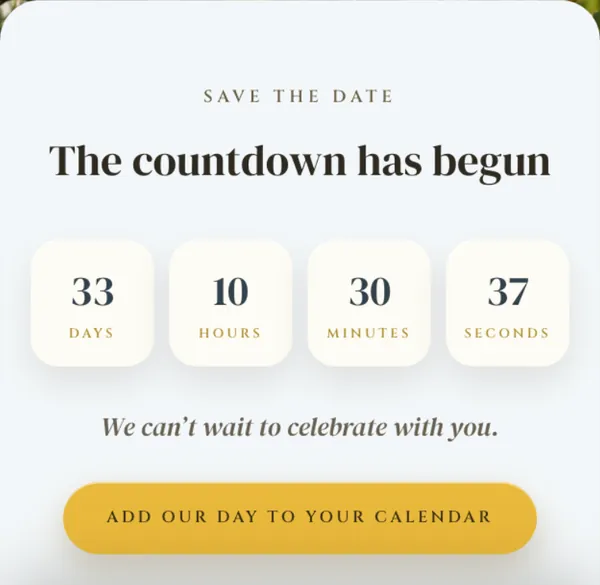
The countdownWaterside · Amalfi 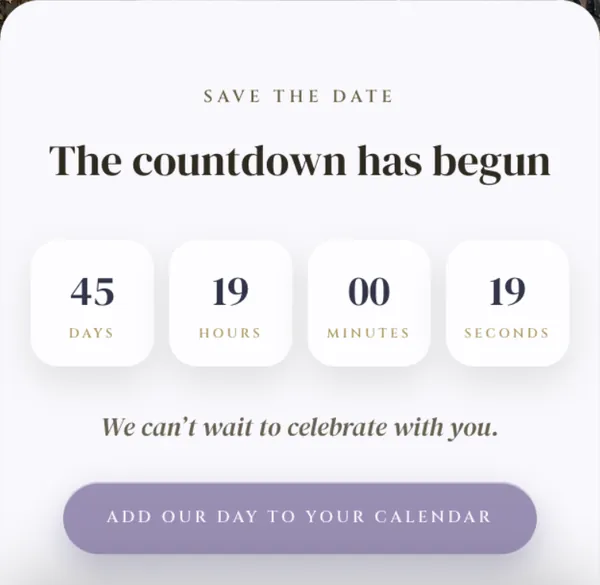
The calendar button, on BelvedereNocturne · Belvedere
Live countdown
Under your names and date sits a countdown in days, hours, minutes and seconds. It runs on the guest's own phone, so it ticks while they look at it, and it counts to the moment you set: your date, your time, in the time zone of the place. A cousin in Denver and a friend in Miami both see it reach zero at the same instant.
On the wedding day itself the numbers make way for a single line, “Today is the day.” If you send the save the date in Spanish, the countdown and everything around it read in Spanish too.
Add to Calendar: one .ics file, one tap
Beneath the countdown is a button, “Add our day to your calendar.” It hands the guest one small calendar file, the standard .ics kind that calendar apps read. Inside it: an all-day event on your date, titled with your names, the place you shared, and a link back to the save the date so they can find it again from the calendar itself. On an iPhone it opens as a new event with one tap.
The file is made fresh each time it is tapped, from what is in your dashboard. Move the date or rename the venue and the next guest to tap the button gets the new details.
What you fill in
Your names, the date and time, the time zone of the place, and the venue or the city. Pick English or Spanish for the words around your details. That is the whole form.
The details sit in your dashboard, so a corrected spelling or a confirmed venue is a quick edit, and everyone with the link sees it.
When to send a save the date
Six to eight months before a local wedding. Nine to twelve months before a destination wedding, or one on a holiday weekend, so guests can book flights and time off. The invitation follows six to eight weeks before the day. Because the save the date here is a link, it can go out the same afternoon you settle the date.
Every design comes as a save the date
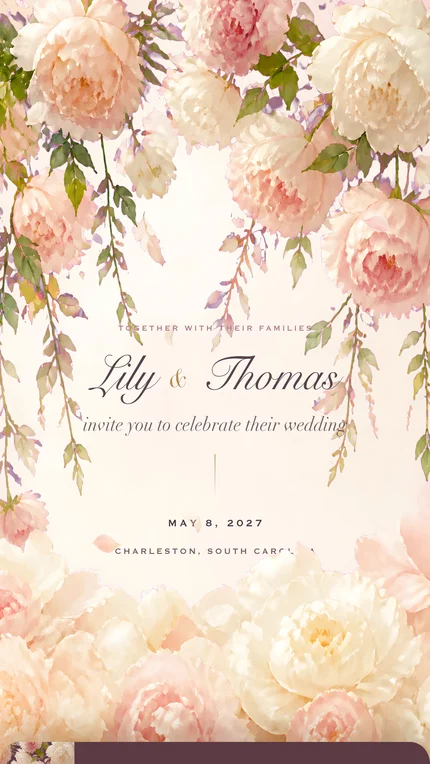
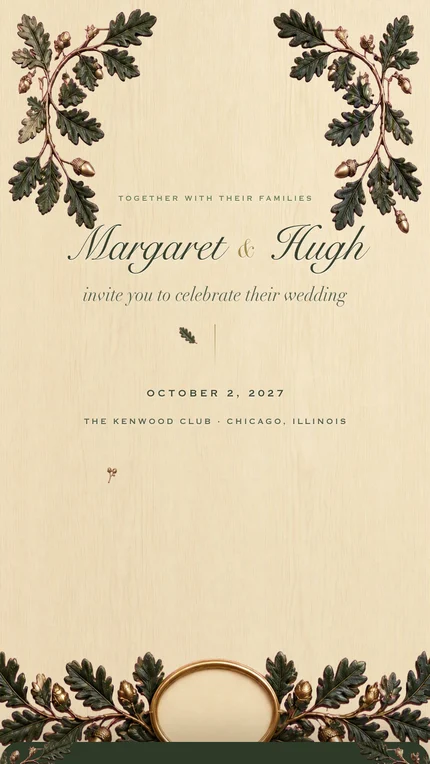
Pick the design you want for the invitation and send it as a save the date now. Here are three.

When the invitation is ready
Move the same save the date up to Classic or Signature. The link your guests already saved becomes the full invitation, with the schedule, the places, the registry and the reply form below the first screen.
What you paid for the save the date comes off the price. Choose the upgrade at checkout and use the email you bought it with.
Save the date vs the invitation
The save the date is the first screen of the invitation, sent early. Everything in the table is on the same link; the invitation simply fills in below.
| What guests get | Save the Date | Classic | Signature |
|---|---|---|---|
| Price, paid once | $29.99 | $99 | $199 |
| The envelope and your first screen | Yes | Yes | Yes, with your own photograph |
| Live countdown and Add to Calendar | Yes | Yes | Yes |
| Schedule, venue and map, where to stay, dress code, registry | Comes with the invitation | Yes | Yes |
| Reply form (RSVP) with meals and allergies | Comes with the invitation | Up to 100 guests | No guest limit |
| Guest photo album | With the invitation | Add-on, $29.99 | Included |
| The link guests receive | One link | The same link, filled in | The same link, filled in |
| What you paid for the save the date | Paid once, now | What you paid comes off, up to $29.99 | What you paid comes off, up to $29.99 |
Paid once, per invitation. Compare every package · About the reply form
Frequently asked questions
Does a digital save the date add to the calendar?
Yes. Under the countdown there is a button that hands the guest one small calendar file (.ics) with your names as the title, the place, and a link back to the save the date. On an iPhone it opens as a new event with one tap.
Can I text a save the date?
Yes. It is a link, so it goes by text message, WhatsApp, email or any messaging app, and opens in the phone's browser with nothing to install.
When should I send a save the date?
Six to eight months before a local wedding, and nine to twelve months before a destination or holiday weekend wedding, so guests can plan travel and time off.
How much does a digital save the date cost?
$29.99, paid once. Every cent you paid comes off Classic or Signature later, when you buy the invitation with the same email address.
Do digital save the dates include an RSVP?
Ours does not, on purpose. A save the date announces the day; the reply form, with meals and who is coming, arrives when the same link becomes the full invitation.
Do you have to send an invitation if you sent a save the date?
The save the date gives guests the date and the place. The invitation adds the time, the schedule, where to stay, the registry and the reply form. Here the two live at one address, so the second step is an upgrade, not a second link.
Will guests get a new link for the invitation?
No. The save the date and the invitation live at the same address, so the link guests saved simply fills in with everything else.
Are digital save the dates acceptable?
Yes. A save the date is practical by nature: it exists so people can plan. One that opens as an envelope on their phone, counts down to the day and drops the date into their calendar does that job well, for a formal wedding too.