

You have the wedding invitation and a list of ninety people to send it to. Now it has to reach them without looking like a newsletter. Text works best, email is fine for the office crowd, and a plain link works anywhere. Here is the order I would do it in. No link yet? How to make a wedding invitation link is covered right after the steps.
- 01
Open it on your own phone first
Not the laptop preview. Your phone, over mobile data, with the sound on. This is what your guests get. Check the names, the date, the map link, and that the reply works. Send yourself a test text and open it from the message, not from the app.

- 02
Make the guest list before you send anything
One line per household, exactly as it should read: "The Patterson family", "Ana and Marco Reyes", "Ruth Caldwell". If your invitation lets guests reply by picking their name from your list, this is what they will see, and it is how you stop duplicate replies and uninvited plus-ones. Do this before the first message goes out, not after.
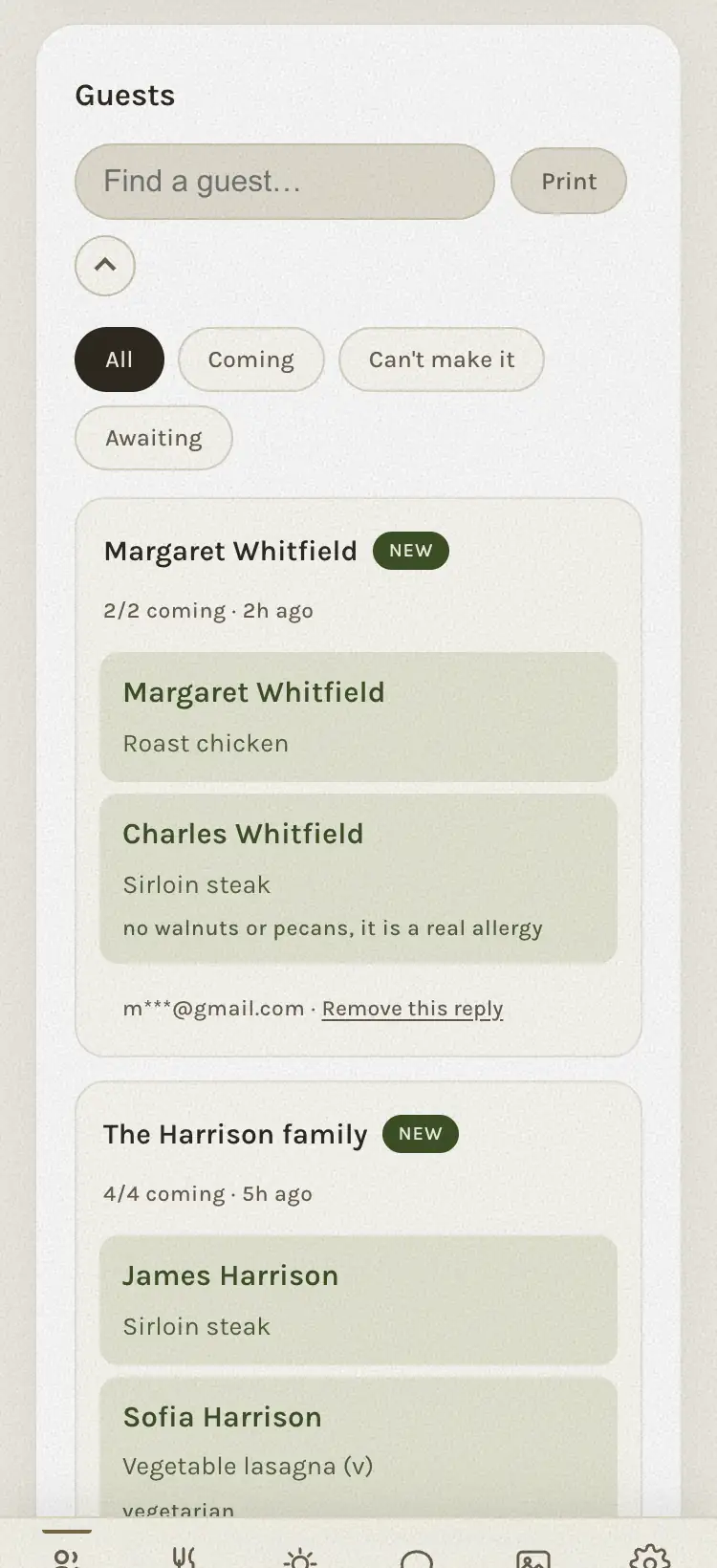
- 03
Write one message, then personalize the first line
Keep a base message in your notes and change only the greeting. Something like: "Hi Reyes family! Our wedding invitation is at the link below. Everything is on the page, including the reply, so please let us know by September 5 whether you can make it. We would love to have you there. Eleanor & William." Then the link, on its own line, last.
- 04
Send by text, one household at a time
Text is where people read their personal messages, so that is where the invitation belongs. One message per household, not a group chat: a group of forty strangers is not an invitation, and the replies turn into a conversation nobody asked for. It takes about a minute per household. Put on a podcast.
- 05
Use email for the people who live in email
Older relatives, colleagues, anyone who has ever said "send me an email so I don't forget". Same message, one recipient per email, the link on its own line. Never CC. If you must send to several at once, use BCC, though a separate email each is kinder and takes no longer.
- 06
Post nothing public
Not on social media, not in a group, not on a wedding website page that anyone can find. The invitation link is the invitation; whoever has it can read it. Keep it between you and the people you are inviting. Your wedding website, if you have one, can hold the schedule and the hotel block; the invitation itself goes person to person.
- 07
Watch the replies land, then remind once
The first replies come the same evening. Most of the rest come within two weeks. About a week before the deadline, send one reminder, by name, only to the quiet households. After the deadline, pick up the phone. The full week-by-week is in how to get RSVPs back on time.
How to make a wedding invitation link
A wedding invitation link is one web address that opens your invitation with the reply built in, so you never attach a file or ask anyone to sign up. Here is how it comes together on The Digital Envelope; other makers work along similar lines.
- Pick a design. Browse the collections and open a few on your phone, since that is where your guests will see it. You can try one with your names for free before you decide.
- Buy it once. Save the Date is $29.99, Classic is $99, Signature is $199. That is the whole price; there is no charge per guest.
- Fill in your dashboard. Your names, the date, the venue, your words, a reply-by date, and your guest list pasted in, one household per line.
- Press Publish. Your link appears at the top of the dashboard, in the form thedigitalenvelope.com/i/ followed by your own address. That address stays the same however many times you publish again.
- Share it. On a phone the button next to the link says Share and opens your usual share sheet: Messages, WhatsApp, email, whatever you have. On a computer it says Copy link. Next to each name on your guest list there is also a Send button that opens your phone's share sheet (Messages, WhatsApp, email) with the invitation already written, greeting and link included; you pick the person and send.
Change something later, press Publish again, and the same link shows the new version to whoever opens it next. Nothing is emailed on your behalf, and no phone number, yours or a guest's, is stored anywhere.
Sending by WhatsApp
WhatsApp works the same way as a text: one message per household, a sentence from you, then the link on its own line. On a phone, the Share button on your dashboard lists WhatsApp alongside your other apps, so you choose the contact there and the link is already in the message. Under your words the guest sees a small preview: a sealed envelope and the line "You're invited". Your names are not in that preview, on purpose, because chat apps keep previews on their own servers; the names are inside, once the envelope opens.
For family abroad, WhatsApp is often the one app they check every day, and the invitation opens there like any other link, with nothing to download. Send it to people, not to a group: a group chat turns the replies into a conversation, and the reply that counts is the one on the invitation, where it is recorded by name.
If the invitation went to spam or a guest says they never got it
A link sent by text or WhatsApp does not pass through an email filter, which is the main reason to send it that way. Email can land in a Promotions tab or a junk folder when it comes from a sending service or goes to many addresses at once. An email from your own address, to one person, with a sentence that sounds like you, reads as a personal note and is usually treated as one. If you sent by email, ask the guest to look in those two folders first.
When someone says they have not seen it, send the same link again; there is only one version and nothing to reissue. On your dashboard the guest list shows which names you have already sent it to, and next to each one the button changes from Send to Remind them, so the follow-up is one tap with the link included. If they give you their answer over the phone instead, the "They told me their answer" button next to their name lets you write it down for them, and it is counted like every other reply.
The message, three ways
Hi Reyes family! Our wedding invitation is at the link below. Everything is on the page, including the reply. Could you let us know by September 5? We would love to see you there. Eleanor & William
Ana, Marco, you're invited. Details and the reply are here. Please answer by Sept 5. E & W
Subject: Eleanor & William, October 4. Dear Aunt Ruth, our wedding invitation is at the link below. It opens with an envelope; everything you need is on the page, including where to reply. We hope you can come. With love, Eleanor and William.
What makes it look like spam
- A bare link with no words. People do not open links that arrive without a sentence from a person they know.
- A shortened link. bit.ly and the like hide where the link goes. Send the real address.
- A group message. Forty names in the recipient line reads as a broadcast. It is also how Uncle Ray ends up replying to everyone.
- Sending at 2 a.m. Phones buzz. Send in the early evening, when people look at their messages and have a minute.
- Five follow-ups. One reminder is a courtesy. The second is a phone call. There is no third.
Who should send it
Whoever the household knows best. Your friends get it from you, your partner's cousins from your partner, your parents' friends from your parents, in their own words. The link is the same; the greeting is what makes it personal. If you share the dashboard with your partner, you can both see replies land without forwarding screenshots to each other.
If someone cannot open it
It happens two or three times per wedding, almost always a relative who does not tap links from numbers they do not recognize. Call them, tell them it is you, and resend. For anyone without a phone at all, print one copy of the same design and hand it over. Then write their reply on the dashboard yourself when they tell you.
The Digital Envelope makes digital wedding invitations: one link each, opened with a wax seal and music, with the reply on the page. No app and no account.
See the designsQuestions people ask
- Is it okay to send wedding invitations by text?
- Yes, if the text carries a real invitation: a sentence from you, and a link that opens into a designed invitation with the reply on the page. Send one message per household, not a group chat.
- Should I send wedding invitations by email or text?
- Text for most people, because that is where they read personal messages and it gets opened the same evening. Email for the relatives and colleagues who live in email. Never a mass email with everyone in the CC line.
- What do I write when I send the link?
- A greeting with their name, one line saying the invitation and the reply are at the link, the reply-by date, and a warm close. Then the link on its own line.
- Can I post the invitation link on social media?
- Please do not. Whoever has the link can read it. Send it privately, household by household, and keep public pages for the schedule and hotel details only.
- What if a guest cannot open the link?
- Call them, tell them it is you, and resend; most never tap links from unknown numbers. For anyone without a phone, print one copy and write their reply on your dashboard yourself.
- How do I make a wedding invitation link?
- Pick a design, buy it once, fill in your names, date, words and guest list on the dashboard, and press Publish. The link appears at the top of the dashboard, ready to share or copy. On The Digital Envelope it looks like thedigitalenvelope.com/i/ followed by your own address.
- Can I send wedding invitations by WhatsApp?
- Yes. On a phone the Share button on your dashboard offers WhatsApp with your other apps, or paste the link into any chat. The guest sees a sealed-envelope preview under your message and opens the invitation with one tap, with nothing to install.
- Is it rude to send a wedding invitation by text?
- Not when it arrives as a personal message: their name, a sentence from you, and a link that opens a designed invitation. What reads as rude is a bare link or a group blast. One household, one message.
- Do digital wedding invitations go to spam?
- A link sent by text or WhatsApp never meets a spam filter. Email sometimes lands in a Promotions tab or junk folder, mostly when it comes from a sending service or goes to many people at once. An email from your own address to one guest, written in your voice, is treated as a personal note.
- Do wedding guests need to download an app to view digital invitations?
- No. A Digital Envelope invitation opens in the phone's browser from the link, and the guest replies by typing their name. There is no app, no account and no password on their side.