

If you are sending digital wedding invitations, you have probably wondered whether you also need a wedding website. The short version: usually not, sometimes yes, and what decides it is how much your guests need to read and how many different groups you are inviting. We make digital wedding invitations at The Digital Envelope, so we hear this question often, and our answer is not "always buy the invitation." A free website from Joy or Zola can sit beside a digital invitation without any conflict. Here is what each one does, where they overlap, and how to decide.
Short answer
No, you do not need a wedding website if your digital invitation already carries the schedule, the map, the hotels, the registry, the dress code, a few questions and answers, and the RSVP. For a wedding with one main event and one guest list, one link does the whole job.
Yes, you need both when your invitation is a single card with a reply button and nothing underneath it, when you are hosting several events with different guest lists, when guests need long pages (a travel guide for a destination weekend, wedding party bios), or when you want password protection and a custom domain. Everything below is the reasoning behind those two sentences.
What a wedding website is for
The wedding website exists because a paper invitation cannot hold much. The card carries the names, the date and the place; the site holds everything else, and a printed line points guests to it. That is still what a website does best: a place with as many pages as you like, where a guest goes when they want more.
The two best known builders are free. Joy describes itself as "a free wedding website builder" and says the site is "completely free, including RSVP tools, templates, and hosting" (withjoy.com/wedding-website, read September 21, 2026). Zola says its "wedding websites are free to create and publish," with a custom domain as the paid extra: "Prices start at $17.99" (zola.com/wedding-planning/website, read September 21, 2026). Both offer pages for the schedule, travel and hotels, the registry, a guest list manager and online RSVP; Zola's page also lists password protection.
What a website is not is an invitation. A website is somewhere people go; an invitation is something people receive. Zola makes the split clear in its help center: "At this time we do not offer digital invitations" (zola.com/faq/do-you-offer-digital-invitations, read September 21, 2026). Joy does offer digital cards, but on Joy the reply is collected on the website rather than on the card.
What a digital invitation is for
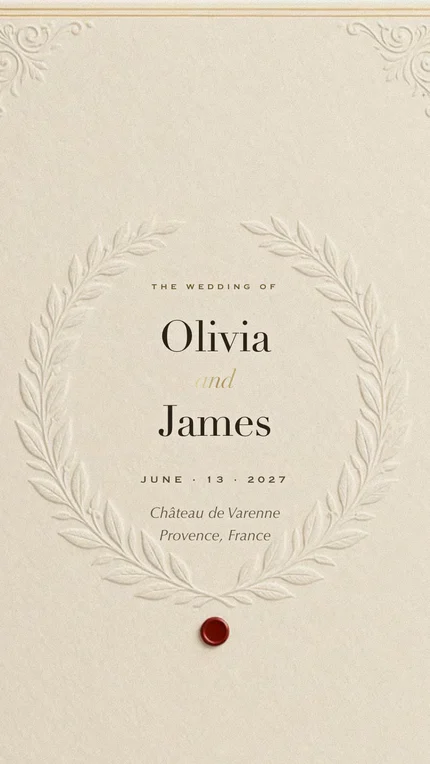
A digital invitation is for the moment of being invited. It arrives by text from you, with a line you wrote. It opens on the phone as an envelope, a wax seal, and on the first touch, music and your names. That first screen is the part a paper card used to do, and the part a website never does, because nobody is invited to a wedding by a URL.
The difference between invitations is what sits under that first screen. Some services stop at a card and a reply button, and those are the ones that make a website necessary. Ours keeps going. Under the first screen, in the order a guest reads them, are: a short letter from the two of you, a countdown with an add-to-calendar button, your story with a photo, the order of the day, the venue with its address and a one-tap map link, a parking note, the dress code with its colors, where to stay, things to do over the weekend, gifts with a registry link, a strip of your own photographs, questions guests ask, and the RSVP. Each is a short block you fill in from the dashboard, and any section you leave empty simply does not appear.

The RSVP is the section that decides most of this question. On our invitation it sits at the bottom of the page: a guest picks their name from your list and answers for the whole household, with a meal choice and a line for allergies, and a small RSVP button follows them down the page. Replies land in your dashboard counted, and the kitchen list and seating chart are built from them; the screen by screen walkthrough shows each page.
What a digital invitation is not, at least ours, is a hub for six events with six guest lists. It has one guest list and one reply. If the rehearsal dinner goes to forty people and the wedding to two hundred, that is a website job, or two invitations.
Where they overlap
Most of what people build a website for, a full digital invitation already carries. The table lists the nine things couples ask about most, side by side. The website column describes Joy and Zola as their own pages present them; the invitation column describes our product, checked against what it actually does.
| What guests need | Wedding website (Joy, Zola) | Our digital invitation |
|---|---|---|
| RSVP | An online reply on the site; the guest goes there to find it. | At the bottom of the invitation, by household, with meals and allergies. A floating RSVP button follows the guest down the page. |
| Order of the day | A schedule page, often one per event. | A schedule section: time, name of the moment, and a note for each. |
| Map and directions | A venue page with a map and a travel page. | The venue's address with a one-tap Google Maps link, plus a parking note with its own map. |
| Hotels | A travel page with booking links and room block codes. | Hotel names with distance from the venue. Booking links and room block codes are better on a website page. |
| Registry | A registry page, often the builder's own registry. | A link to your registry under any name you give it, plus a handle for cash gifts, shown as text. The money never passes through us. |
| Dress code | A page, if you add one. | Its own section: your words, the colors, and example figures. |
| Updates after sending | Edit any time; the address stays the same. | Edit any time from the dashboard; Publish sends the change to the link guests already have. |
| Who it goes to | Anyone with the address; Zola offers a password. | Only the people you send the link to, and only names on your list can reply. |
| Cost | Free at Joy and Zola. Custom domain from $17.99 at Zola. | Classic $99 for up to 100 guests replying; Signature $199 with no guest limit. One payment, no subscription. |
Website facts from withjoy.com and zola.com, read September 21, 2026. Invitation facts from our own product on the same day.
Read down the invitation column and you can see why most couples do not need both: seven of the nine rows are covered on the same page the guest opened to be invited. The two where a website is genuinely better are hotels with booking links and anything that needs a password.
When an invitation alone is enough
One link is enough when all of the following are true. You have one main event, or a small set of events that every guest is welcome at. Everyone invited gets the same information. What guests need fits in short blocks: a schedule, an address, three hotels, a registry link, a dress code, and five or six questions with answers. And you are sending the invitation by text or email rather than pointing to it from paper.
That describes most weddings. A test you can do in a minute: write down everything a guest needs to know for your day. If it fits on one side of a page, it fits in the invitation, and a website would be a second place to maintain with nothing new on it. Our page on what to put on a wedding invitation is the checklist for that side of the page.

Two practical notes for the one-link route. The invitation stays online through your wedding day and for a year after it, so guests can come back for the address on the morning of. And because you publish edits to the same link, a shifted ceremony time or a new hotel reaches everyone without a second message.
When you need both
Several events, several lists. A welcome party for out-of-town guests, a rehearsal dinner for family, a brunch for everyone: a website can show each guest only the events they are invited to. Our invitation shows every guest the same page, so the site does the sorting and the invitation does the inviting.
A destination weekend with real reading. Flights, the airport shuttle, three neighborhoods to stay in, where to eat on the free day. That is pages, not blocks. Put the long version on the site and the short version on the invitation, where the hotels section holds the names and the questions section holds "Where do we fly into?"
Password protection or a custom domain. If you want guests to enter a password, or you want the address to be your names dot com, Zola's page lists both, and the domain is the one thing it charges for. Our invitation is protected differently: only the people you send it to have the link, and only names on your list can reply.
A paper invitation in the mail. If part of the guest list gets a printed card, the card needs somewhere to send people for the RSVP, and a website address prints more naturally than a long link. Many couples send the digital invitation to most guests and print a few cards for the rest; our guide on sending invitations by text, email or link covers that mix.
When you do use both, give each one a clear job: the invitation invites and collects the reply, the website holds the reading. Collect RSVPs in one place only, and say so on the other in one line.
A 30-second decision guide
- One main event and one guest list? Invitation only.
- Does everything a guest needs fit on one side of a page? Invitation only.
- Events with different guest lists? Add a website.
- Pages of travel advice for a destination weekend? Add a website.
- Need a password or your own domain? Add a website.
- Printing cards for some guests? Add a website, and put its address on the card.
- Using both? Reply in one place only, and say which on the other.
If you landed on "invitation only," the cost is simple: Classic is $99 for up to 100 guests replying, Signature is $199 with no guest limit, your own photograph on the first screen and the guest photo album included, and a Save the Date in the same design is $29.99. One payment each; nothing renews and guests never pay. If you landed on "add a website," Joy and Zola are free to build, and the side by side with Joy shows how the two pair up.
31 designs in six styles, each with the schedule, map, hotels, registry, dress code, questions and RSVP on one page. Open any of them on your phone.
See the designsHow we put this together. On September 21, 2026 we read Joy's wedding website page, Zola's wedding website page and Zola's help center article on digital invitations, and quoted them where they appear. Every statement about our own invitation was checked against the product that day: which sections exist, how the reply works, how editing after publishing works, how long the page stays online, and what it costs. We did not test every website builder, and we say only what the two we read say about themselves.
- Joy, Free Wedding Website Builder, read September 21, 2026
- Zola, Free Wedding Websites, read September 21, 2026
- Zola Help Center, Do you offer digital invitations?, read September 21, 2026
Questions people ask
- Do I need a wedding website if I send digital invitations?
- Not if the invitation carries the details itself. When the schedule, map, hotels, registry, dress code, questions and RSVP are on the invitation page, a website would repeat them. You need a site for several events with different guest lists, for long travel pages, or for a password and custom domain.
- Can a digital invitation replace a wedding website?
- For a wedding with one guest list, yes. Ours holds a letter, a countdown, your story, the order of the day, the venue with a map link, parking, dress code, hotels, things to do, gifts, your photos, a questions section and the RSVP, all under the first screen. What it does not replace is a site that shows different events to different guests.
- Can I link my wedding website from the invitation?
- There is no separate website field on our invitation. The clickable link you control is the gifts link, which you can name however you like, and a website address can be written into the questions section as text. The other direction is easy: paste your invitation link on the website so guests who arrive there can open it.
- Should guests RSVP on the invitation or on the wedding website?
- In one place only. If the invitation collects replies by household with meals and allergies, use that and switch off the website's RSVP page. If you prefer the site's RSVP, say so in one line on the invitation. Two reply forms mean two lists to reconcile.
- Can I use Zola or Joy for the website and a different service for the invitation?
- Yes. Both say their websites are free, and neither requires you to send their invitations; Zola's help center states it does not offer digital invitations at all. A digital invitation from another service and a Joy or Zola site work side by side. Just decide which one collects the reply.
- What does a digital invitation with everything on one page cost?
- At The Digital Envelope, Classic is $99 for up to 100 guests replying and Signature is $199 with no guest limit, each a single payment. A Save the Date in the same design is $29.99. Joy and Zola websites are free, so adding one beside the invitation costs nothing unless you buy a custom domain.