

If your wedding invitation went to spam, the fix is a short one: ask the guests who have not replied to look in Spam and in Gmail's Promotions tab and press "Not spam", resend to whoever is still quiet, and for the second round send the link by text or WhatsApp instead of email, because a text message never passes through an email filter at all. Nothing about your wedding caused this. Email filters sort by how a message was sent, not by what it says, and an invitation sent out to sixty addresses at once from a service you have never emailed from before looks, to a filter, like every other bulk mailing that morning. This letter walks through why it happens, what to do in the next few days, and how to know who has the invitation and who does not.
Why did it go to spam in the first place?
Gmail, Outlook, iCloud and the rest all ask the same few questions of every message before it reaches the inbox, and a digital invitation tends to answer several of them the way a marketing email would.
- It was sent from a domain your guest has never received mail from. When an invitation service emails the card on your behalf, it comes from the service's address, not yours. Your guest knows you; they have never heard of the sender.
- It went to many people at once. Sixty copies of the same message in the same minute is the shape of a mailing list. Google's own sender guidelines, read on September 22, 2026, ask every sender to set up SPF or DKIM authentication, and ask anyone sending 5,000 or more messages a day to Gmail to authenticate with SPF, DKIM and DMARC, support one-click unsubscribe, and keep the rate at which recipients report them as spam below 0.3 percent. A service that emails invitations for thousands of couples is measured by those rules, and one bad week for any of its customers can nudge everyone's mail.
- It is mostly a picture with a link. A large image, little text, and a button that says "Open" is also what a promotional email looks like. Gmail's help page describes the Promotions category as "Deals, offers, and other promotional emails," and a card-shaped email fits that description better than it fits Primary, which the same page describes as "Emails from people you know."
None of these is a fault of yours, and the fix does not require understanding any of them. It only requires knowing which folder to point your guests to, and choosing a different road for the next round.
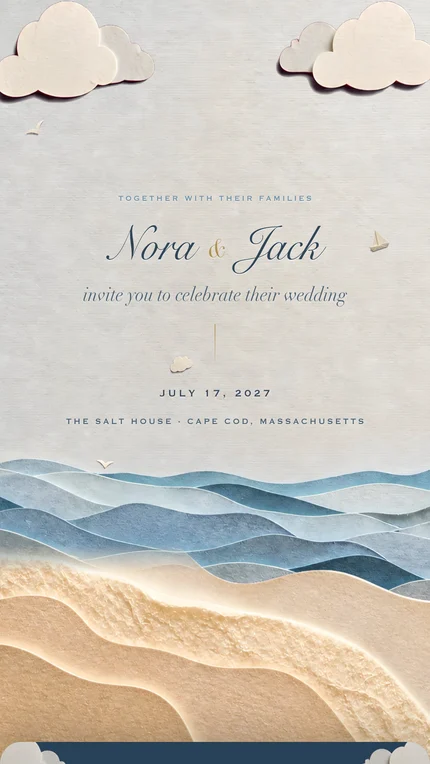
Spam folder or Promotions tab? They are not the same thing
It helps to tell your guests exactly where to look, because the two places behave differently. The Spam folder is where mail goes when the filter thinks it is unwanted; the guest sees no notification and the message sits out of sight. The Promotions tab, which exists only in Gmail and only when the guest has categories switched on, is not spam at all. It is a second inbox for what Gmail sorts as offers and newsletters, and many people glance at it once a week or never. An invitation that lands there was delivered, in the technical sense, and simply not noticed.
The two actions matter for the follow-up as well. Gmail's help page on marking spam says that after you remove a message from Spam with "Not spam", future emails from that sender will not go to Spam. For categories, the same help center says to drag the email to the correct tab, and that over time this helps Gmail learn your preferences. So a guest who rescues the first message is also clearing the way for the reminder.
What to do this week
- 01
Find out who is actually missing it
Not everyone who has not replied is missing the invitation; some people simply have not answered yet. Look at the replies you do have. If they cluster by email provider, say every Gmail address is quiet and everyone on Outlook has replied, you are looking at a filter, not at slow guests. If the quiet ones are scattered, most of them have it and need a nudge, not a resend.
- 02
Ask the quiet guests to check two folders
Send the short message above, one person at a time, from your own phone or your own email address. A note from you, to one person, in your own words is the kind of email Gmail files under Primary. Ask them to press Not spam or drag it to Primary, so the reminder later has a clear path.
- 03
Resend to anyone who still has nothing
If the invitation is a link, there is nothing to reissue: the same address opens the same page. Send it again with a sentence in front of it. If you used a service that emails the card, resend from there only to the names that need it, not to the whole list; a second full send is a second bulk mailing.
- 04
Move the rest of the sending to text or WhatsApp
This is the strongest fix and the one worth doing even if only a few guests were affected. A text message goes from your phone to theirs. There is no filter in between, no Promotions tab, and no sender your guest has never heard of. Write one line, paste the link, send. Our guide to sending by text, email or link has the wording and the order to send in: how to send wedding invitations by text, email, or link.
- 05
Set one reminder date and stop worrying
Pick a day about a week before your reply-by date and plan to nudge, once, everyone who is still quiet. Between now and then, let the invitation do its work. How to get wedding RSVPs back on time has the schedule we recommend and the words for the reminder.
Is text really more reliable than email for invitations?
For reaching a person, yes, and the reason is structural rather than a matter of taste. Every email passes through the recipient's mail provider, which decides where to put it. A text or a WhatsApp message goes to the phone in the guest's pocket, shows up on the lock screen, and is usually seen soon after. Phones do have a junk filter for messages from unknown numbers, but an invitation comes from your number, which most guests have saved, and arrives with your name on it.
There is a second advantage that has nothing to do with filters. When a guest gets a text from you, the reply comes back to you: "Got it, so excited!" or "Wait, which link?" You hear immediately whether it arrived. A bulk email gives you a delivery report at best, and a delivery report cannot tell you the message is sitting unread in Promotions.
Email still has its place. Some guests, often older relatives and colleagues, prefer it, and an email from your own address, to one person, with a sentence that sounds like you, is treated as personal mail. The trouble begins when the email is sent for you, to everyone, at once.
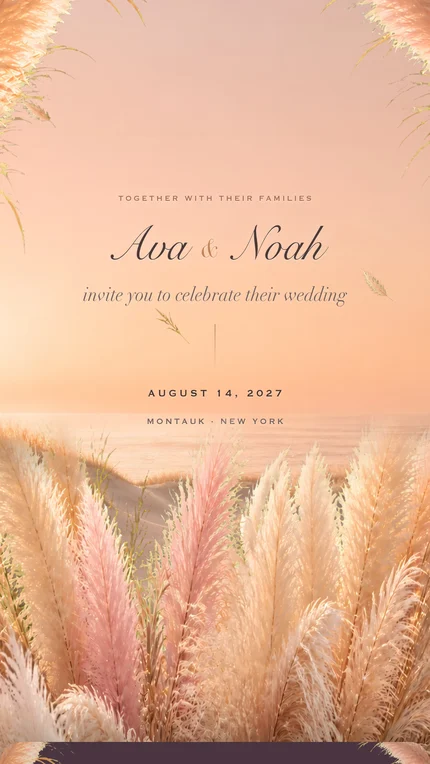
How the service you use changes the answer
Invitation services take one of two approaches, and it is worth knowing which one you have. Some email the card to each guest for you, from their own domain and their own servers; the sending happens in bulk, and the filter questions above apply to every message. Others give you one address and leave the sending to you, so each invitation travels as a personal message from your phone or your inbox.
We make one of the second kind, and we say so plainly. Our digital wedding invitations are a single link, and we never email guests at all: every message a guest receives comes from you. On your dashboard there is a Text button next to each guest that opens your own Messages app with the invitation text already written and the link included, and you pick the contact; once a guest has been texted, the button becomes Nudge, for the reminder, and the list notes who you texted today or yesterday so you can see at a glance who still has nothing. Nothing goes out from our servers, and we do not store anyone's phone number. The guest opens the link in their phone's browser, with no account and no app, and replies on the invitation itself. If you are weighing services on this point, wedding invitations with RSVP describes how the reply is collected.
How to keep track of who has it
The unease after a spam scare comes from not knowing. A simple list settles it. Whatever service you use, keep one place with every household, how you sent to them (text, WhatsApp, email), the date, and whether they have replied. When a guest replies, the question is answered. When a guest is still quiet on your reminder date, that is the household to text personally, not to email again.
- Send by household, not by list. One message per home, addressed to the people in it. It is the only way to know later exactly who received what.
- Keep the link identical. If your invitation is a web address, send the same one every time. Two versions of a link are two things to lose.
- Use the replies as your receipt. Every reply that arrives is proof of delivery for that household. Concentrate on the silence, not on the whole list.
- Ask, once, then let it rest. One check-in message and one reminder near the reply-by date are enough. Beyond that, a phone call is warmer and shorter than a third email.
Our invitations are one link that you send yourself, by text, WhatsApp or your own email. We never email your guests, so there is no bulk sender for a filter to catch. Classic is $99 for up to 100 guests replying; Signature is $199 with no limit.
See the designsHow we put this together. On September 22, 2026 we read Google's Email sender guidelines, the Gmail help page on inbox categories, and the Gmail help page on marking and unmarking spam, and quoted what they say rather than what is commonly repeated about them. The description of how our own product sends, or rather does not send, email is taken from our code and our dashboard on the same day. We make one of the services discussed here and have said which.
- Google Workspace Admin Help, Email sender guidelines, read September 22, 2026
- Gmail Help, Organize your emails into categories, read September 22, 2026
- Gmail Help, Mark or unmark Spam in Gmail, read September 22, 2026
- The Digital Envelope, How it works and prices, September 22, 2026
Questions people ask
- Do digital wedding invitations go to spam?
- Sometimes, when they are emailed in bulk by a service from a domain your guests have never received mail from. A link sent from your own phone by text or WhatsApp does not pass through an email filter, and an email from your own address to one guest, written in your voice, is usually filed as personal mail.
- Why did my wedding invitation go to spam?
- Most often because it was sent to many addresses at once from an unfamiliar sender, and because a card-shaped email with a big image and a button resembles a promotion. Google's sender guidelines judge bulk senders on authentication, unsubscribe links and spam-report rates, and the service that mailed your card is judged as a whole, not per wedding.
- A guest says they never got the invitation. What do I do?
- Ask them to check Spam and, in Gmail, the Promotions tab, and to mark the message Not spam or drag it to Primary. Then send them the link directly by text with one sentence from you. If your invitation is a web address there is nothing to reissue; the same link opens the same page.
- What is the difference between the Spam folder and Gmail's Promotions tab?
- Spam is where mail the filter considers unwanted goes, silently. Promotions is a Gmail inbox category for what it sorts as offers and newsletters; Gmail's help page describes it as deals, offers and other promotional emails. A message in Promotions was delivered but is easy to overlook.
- Should I resend a wedding invitation that did not arrive?
- Yes, to the households that need it, not to the whole list. Send it one person at a time with a note from you. If a service emailed the card for you, a second send to everyone is a second bulk mailing and can land in the same place.
- How do I resend a digital wedding invitation?
- If it is a link, paste the same link into a text or WhatsApp message with a line from you and send it to that household. On our dashboard the Text button next to each guest opens your own Messages app with the wording and the link ready; after the first time it becomes Nudge, for the reminder.
- Is text messaging more reliable than email for wedding invitations?
- For reaching a person, yes. A text goes from your phone to theirs with your name on it and no mail filter in between, and the guest's reply tells you at once that it arrived. Email from a bulk sender passes through the recipient's provider, which may file it in Spam or Promotions without telling anyone.
- Does The Digital Envelope email my wedding invitation to guests?
- No. We never send email to guests. You receive one link and send it yourself, by text, WhatsApp or your own email, with a per-guest Text button that opens your own Messages app. Nothing leaves our servers to a guest, and we do not store phone numbers.
- How can I tell whether my guests actually received their invitations?
- Keep one list by household with how and when you sent to each, and treat every reply as a receipt. Two weeks after sending, text the households that are still silent, one by one, rather than emailing the whole list again.